Share Music Analysis Results with One Click, No Upload Required
Why We Built the Share Feature
As a DJ, you've probably faced these situations:
- Want to send a track's BPM and key to a fellow DJ
- Need to show students how to analyze a song
- Want to keep a record of your analysis for later
Before? You'd take screenshots (unprofessional) or ask others to re-analyze the track themselves (too much hassle).
Now? One button does it all.
How to Use It? Three Simple Steps
Step 1: Analyze Your Music
Just like usual, drag your audio file into the website and wait a few seconds for the analysis.
Step 2: Click "Share Result"
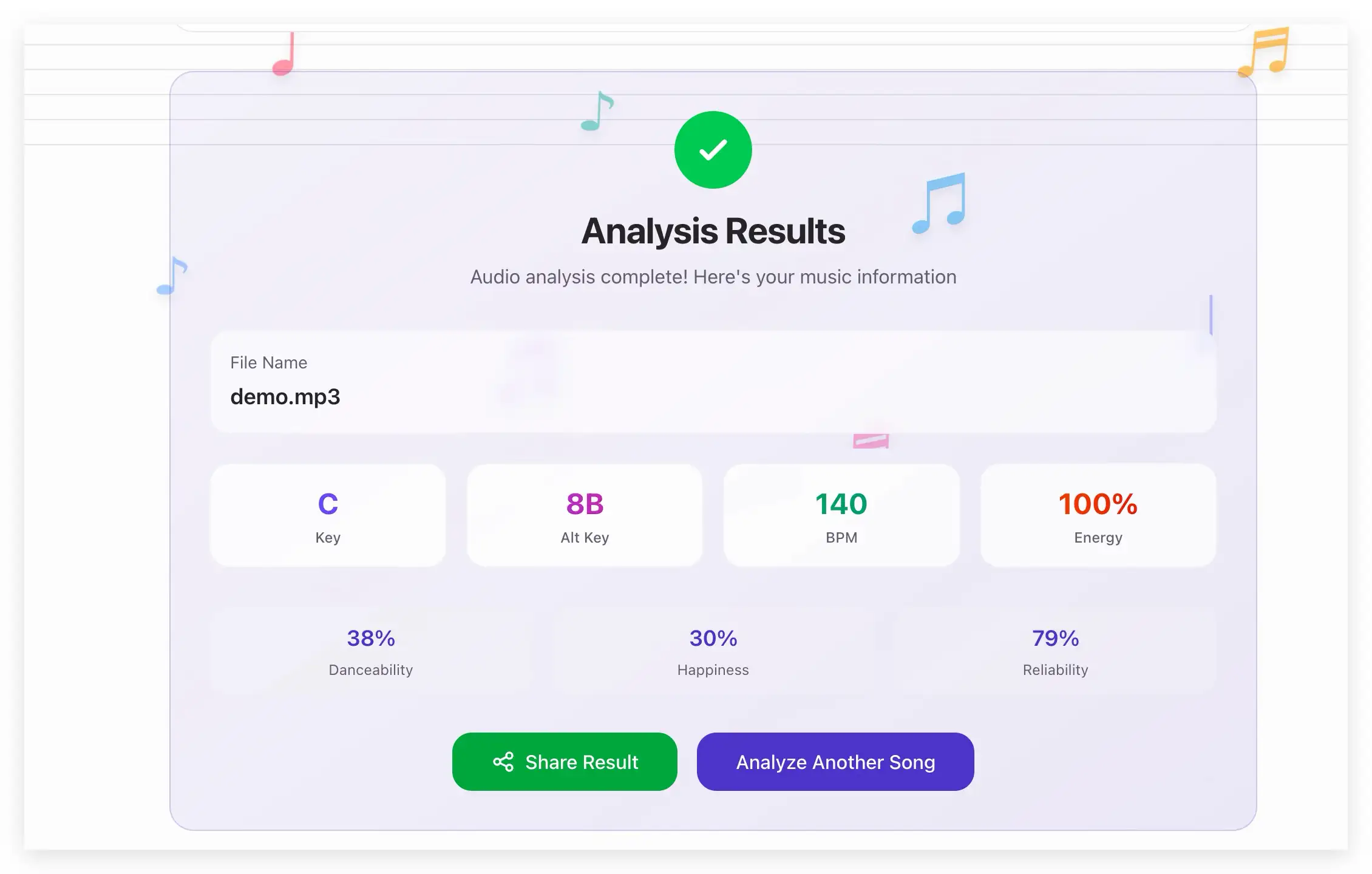
Once the analysis is done, you'll see a green "Share Result" button. Click it, and the link is automatically copied to your clipboard.
Step 3: Send to Friends
Paste the link in WeChat, email, Discord—wherever. When they click the link, they see the complete analysis.
Your Most Common Questions
Q: Will the link expire?
No. The link works forever. In a year or two, it'll still open.
Q: Is my audio file uploaded?
No. Your audio stays on your computer the entire time. It's never uploaded.
The share link only contains analysis data (BPM, key, energy values), not the audio itself.
Q: Do I need to register an account?
No. No login, no email, nothing. Just click and share.
Q: Can others access my audio file from the link?
No. The link only has analysis data, no audio.
But note: Anyone with the link can see the analysis data (filename, BPM, key, etc.), so don't share in public groups—only with people you trust.
Real-World Use Cases
Scenario 1: DJ Collaboration
You: "This track is 128 BPM, F minor, high energy" Friend: "Let me see" You send a link. Instant understanding.
Scenario 2: Teaching Demo
Teacher: "Everyone, look—this House track is 126 BPM, Camelot code 9A" Share the link in the group chat. All students can see it.
Scenario 3: Backup Records
You've analyzed a bunch of tracks and want to save them. Copy the links, paste into your notes app. Access anytime.
Privacy Explanation (Important!)
✅ What's in the link:
- Filename (example.mp3)
- BPM (128)
- Key (F minor)
- Camelot code (9A)
- Energy, danceability, mood values
❌ What's NOT in the link:
- The audio file itself
- Your personal information
- Your IP address
- Your usage history
Simply put: Data only, no audio.
Advantages Over Screenshots
| Method | Pros | Cons |
|---|---|---|
| Screenshot | Simple | Unprofessional, incomplete data, can't copy text |
| Share Link | Complete data, copyable text, permanent | Requires clicking to open |
Pro Tips
Tip 1: Use URL Shorteners
If the link looks too long, use a URL shortener (bit.ly, tinyurl.com).
Tip 2: Bookmark It
Chrome/Safari can save links as bookmarks for easy access later.
Tip 3: Organize in Spreadsheets
If you've analyzed many tracks, organize links in Excel with tags and notes.
Common Misconceptions
❌ Misconception 1: "If I share the link, others can download my audio" ✅ Truth: No. The link only has data, not audio.
❌ Misconception 2: "The link will expire" ✅ Truth: No. It works forever.
❌ Misconception 3: "Others need to register to view" ✅ Truth: No. Anyone can view by clicking the link.
Final Thoughts
This share feature is simple but practical.
No server storing your data, no account registration. Just one click.
If you find it useful, share it with your DJ friends.
Questions or suggestions? We'd love to hear from you!
👉 Try it now: https://bpmkeyfinder.app
Reminder: Only share links with people you trust, as anyone with the link can view the analysis.
About Ben
BPMKeyFinder founder, making music analysis tools simple and accessible